Deploy to iOS TestFlight
Note: we are showing here how to deploy your app to Apple TestFlight. Please follow Apple’s documentation on how to deploy to the App Store.
Register app
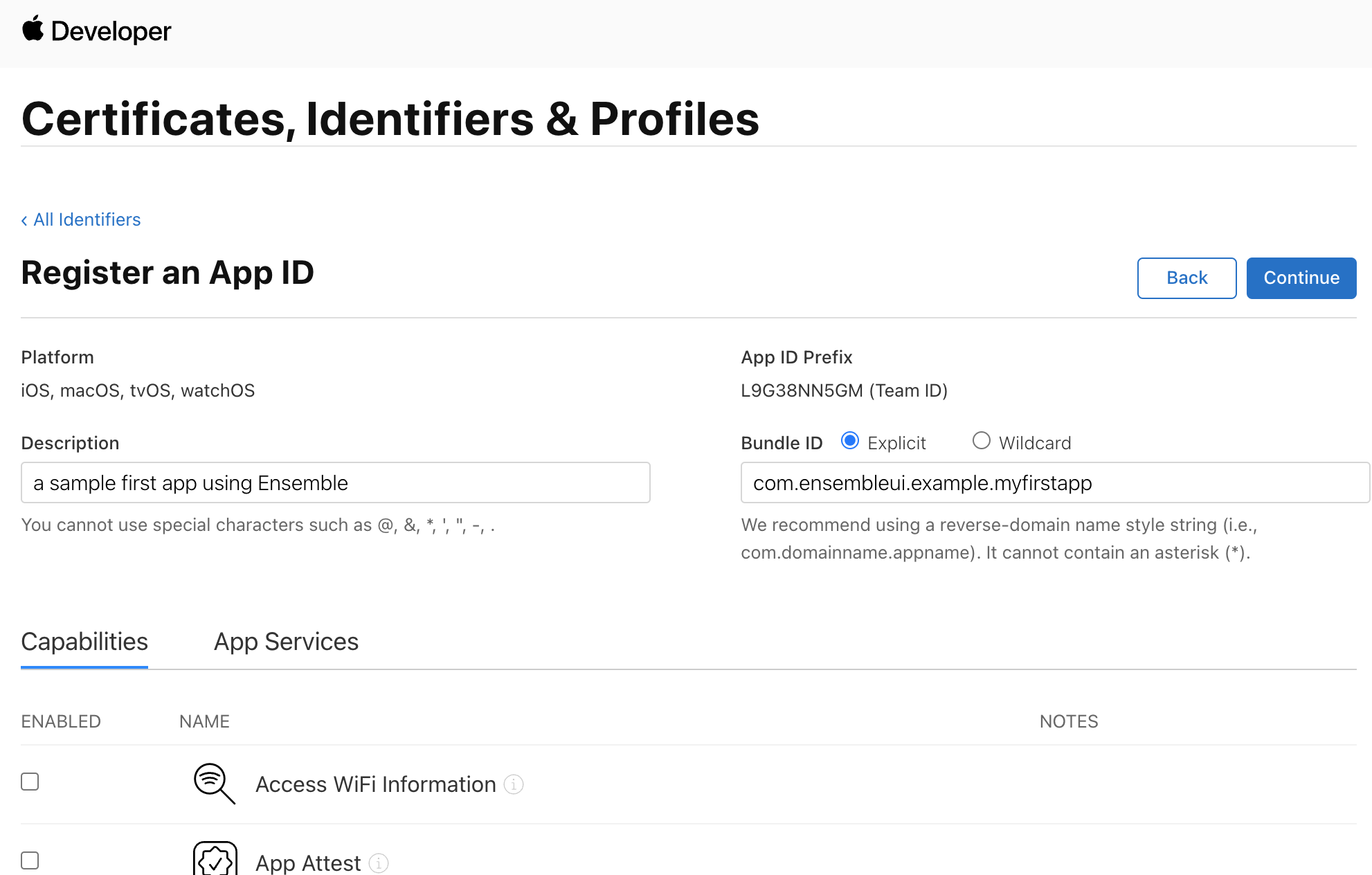
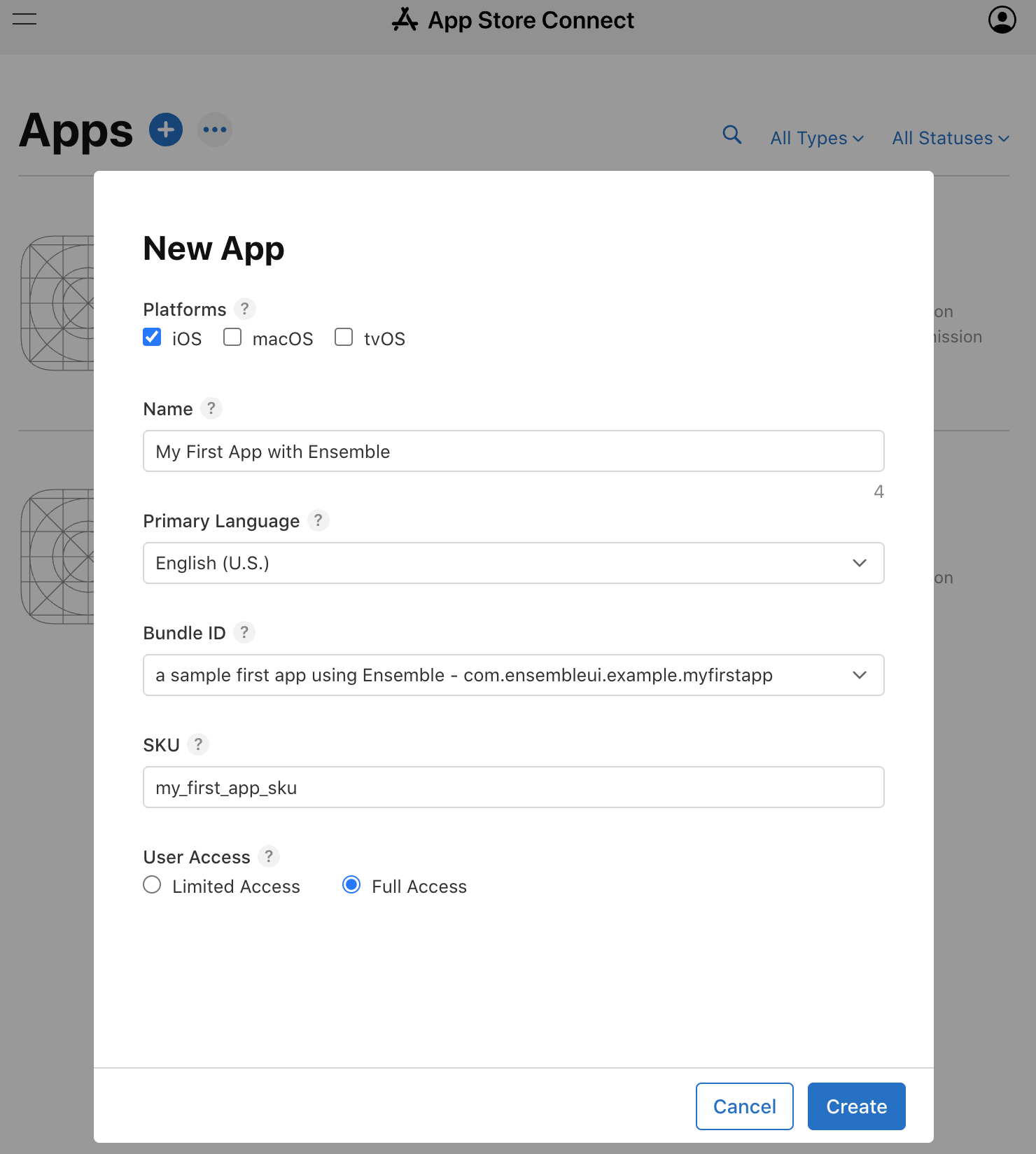
If this is a brand-new app, you first need to register a unique Bundle ID and a unique App Name with Apple.
- Register the Bundle ID
e.g. com.mycompany.appname. This is important and cannot be changed later on. You’ll also need this ID later in this document.
- Create a New App using a unique App Name and this Bundle ID. The App Name is how your app will eventually be searchable and appear in the App Store.
Preparing Ensemble for uploading
-
Make sure you completed the Preparing your App step, including following the starter repo’s README instruction to configure and run your App.
-
Navigate to the app folder (e.g. my_first_app).
-
Under
iosfolder, openRunner.xcworkspacewith XCode .-
Select the Team (Apple Account) used to create the App and Bundle ID. You may need to log in to your Apple Developer Account under XCode > Preferences > Accounts.
-
Under
Signing & Capabilities, ensure theBundle Identifiermatches exactly your Bundle ID above.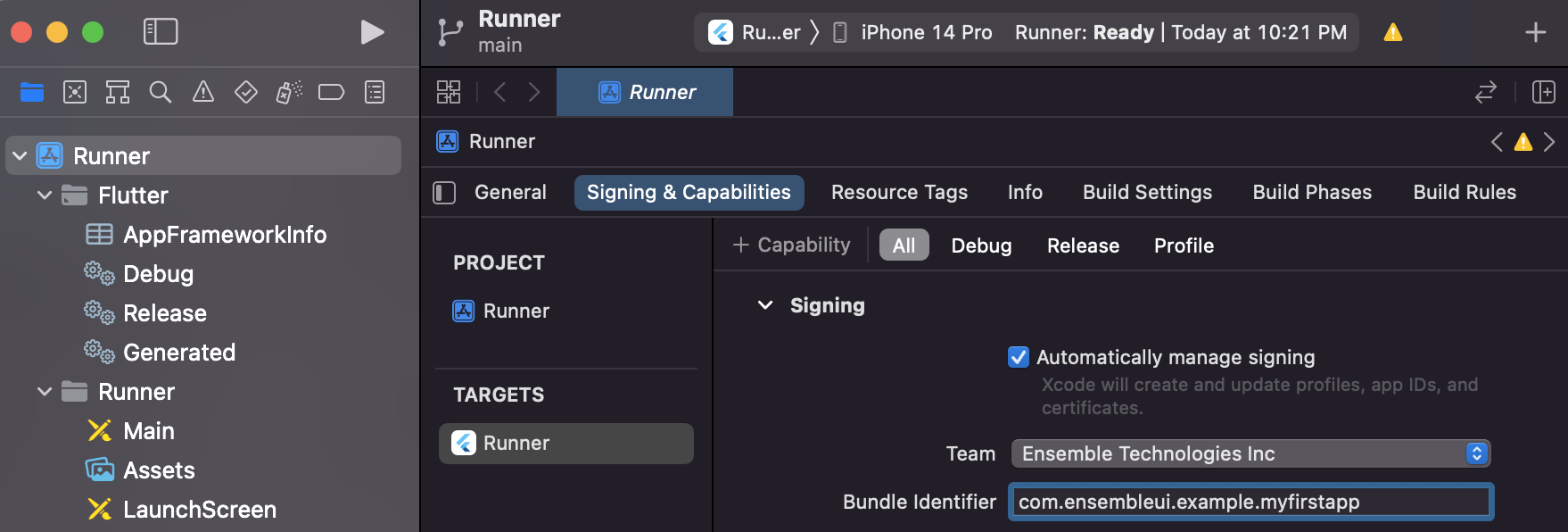
-
Under
Info, find theBundle display namekey and update its value to your desire name (e.g. My First App). This is the name that shows up once your App has been installed. This doesn’t have to exactly match your App Name, and can be shorter so its name is not cut off under the App icon.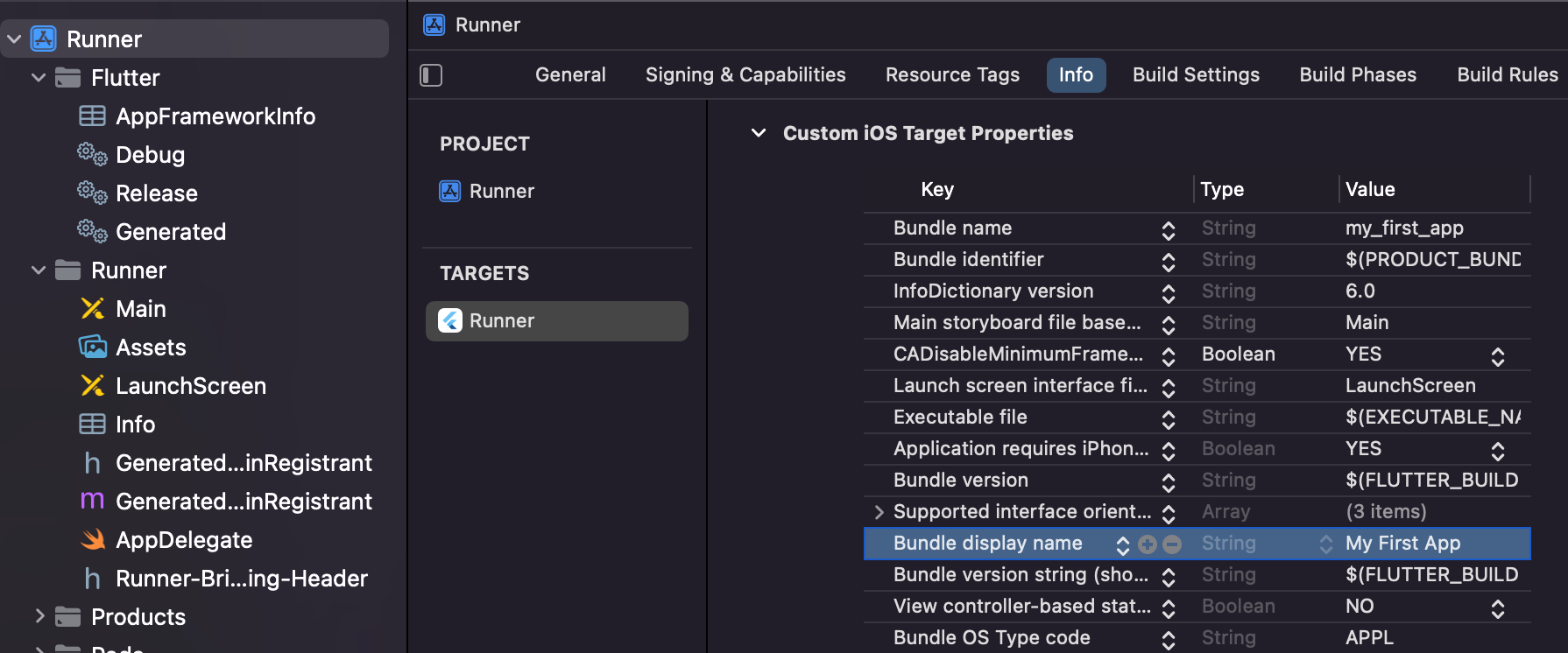
-
-
Run
flutter build ipa --no-tree-shake-icons. This will create the ipa file at /build/ios/ipa/my_first_app.ipa. -
Download Apple’s Transporter and login with the same Apple account. Drop the ipa file into the Transporter App then click Deliver.
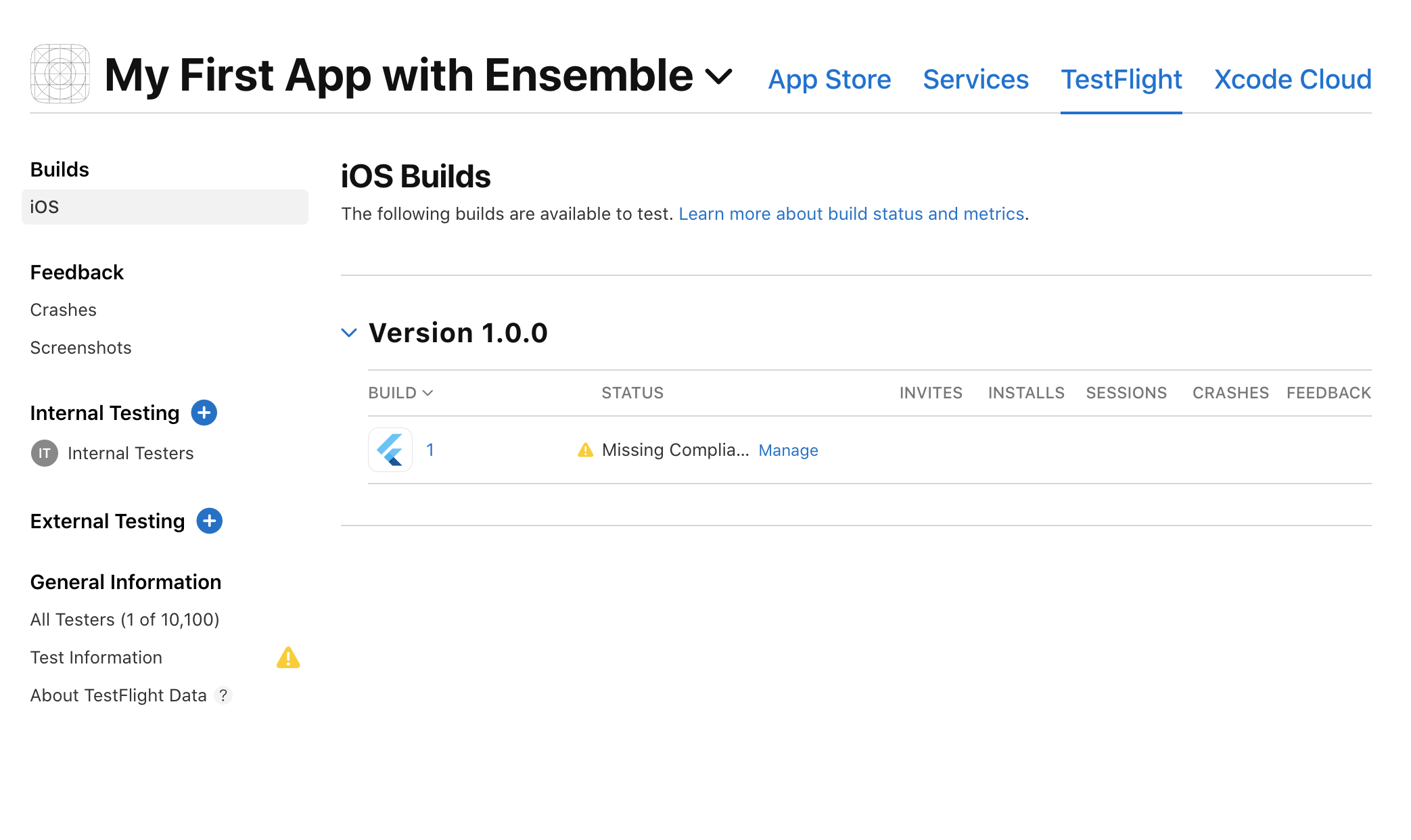
- This may take 5-10 minutes AFTER upload completes before the build shows up under
Your App Name > TestFlighttab, plus another 10-15 minutes to complete processing.
- This may take 5-10 minutes AFTER upload completes before the build shows up under
-
Click to manage Apple’s app compliance by answering the questions.
-
You can now invite your team members to install your App under
Internal Testing. Each person can download the app via TestFlight.